Docs
Getting started
Install Pi Sat Track and open the station UI in a browser.
Pi Sat Track runs on the computer at the station. The screen you operate is a page in a web browser, on that computer or on another machine on the same network.
Install
The buttons on the Downloads page are placeholders. They do not download a file yet. When a build is posted, pick the file there.
Windows
Run the .exe setup. Then open Pi Sat Track in a browser on that PC, or from another computer on the LAN.
macOS
macOS 12 or newer, Apple Silicon and Intel, uses the same .run file as Linux and Raspberry Pi OS. Mark that file executable, then run it. The station UI is the browser, on this Mac or elsewhere on the LAN.
Linux
Run the .run file. It runs install-pi.sh and installs a systemd user service named sat-tracker. Open the UI in a browser on that machine or on the LAN.
Mark the .run file executable before you start it. Check the user service with:
systemctl --user status sat-trackerRaspberry Pi OS
Same .run as Linux and macOS. install-pi.sh installs the systemd user service sat-tracker. A headless Pi is a normal way to leave it on. Use any browser on the network.
systemctl --user status sat-trackerOpen the UI
Open a browser on the machine that runs Pi Sat Track, or a browser on another computer on the LAN.
The app shows the local address when it starts. A fixed public URL is not part of this guide yet.
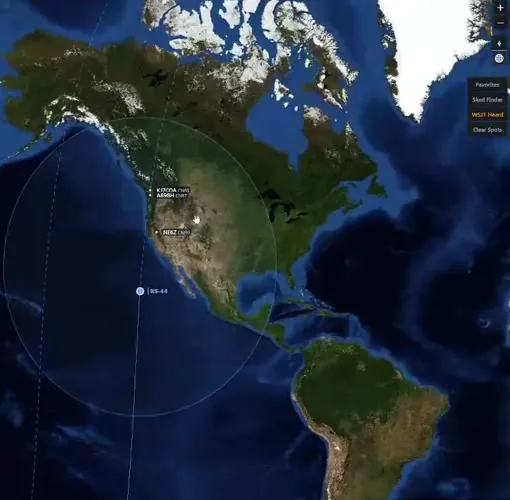
A pass on the map